Texts and calls
The full disclosure: who hears from Snoot Safe, why, how often, and how to stop.
Why we send them
Snoot Safe sends text messages and makes automated phone calls for two reasons only: to reach you when you miss a check-in, and to reach the contacts you chose when an alert goes out. Nothing else, never marketing.
Who receives what
- You receive check-in reminders and verification codes at the phone number you verify in your account. After an alert, your all-clear comes by email.
- Your contacts receive nothing from Snoot Safe until they choose to: you send them the invitation yourself, and they accept by entering and verifying their own number on the page it opens. The code they request is their first text. After that: the alert if you ever can't check in, and the all-clear when you do. Every later message carries a one-tap link to step down.
The invitation
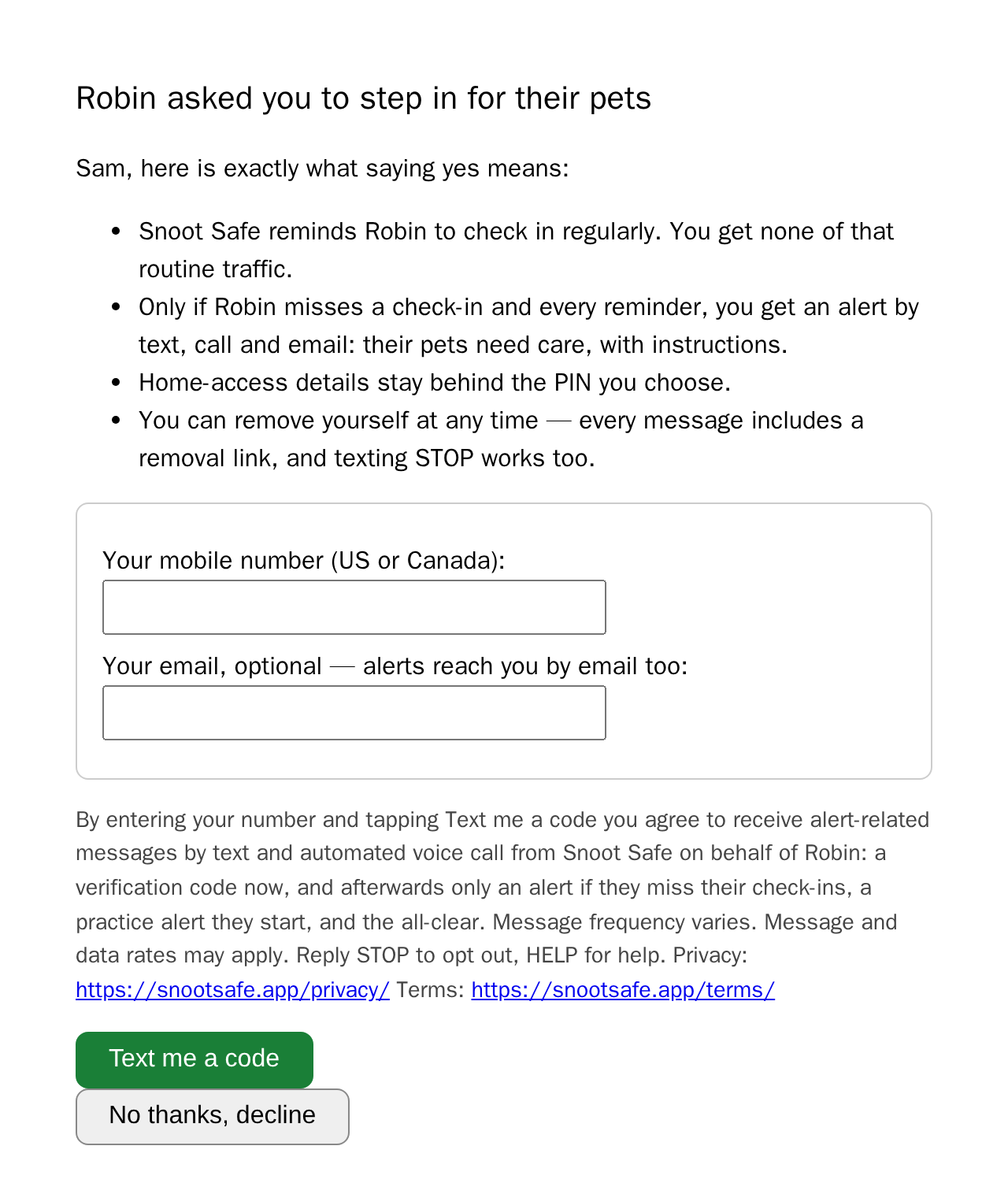
Snoot Safe: Robin asked you to step in for their pets if they ever stop checking in. You'd get an alert with care instructions. See what that means and accept or decline: <link>
How you opt in
Nobody is texted a number someone else typed. Consent is given on this site, by the person who will receive the messages, for their own number:
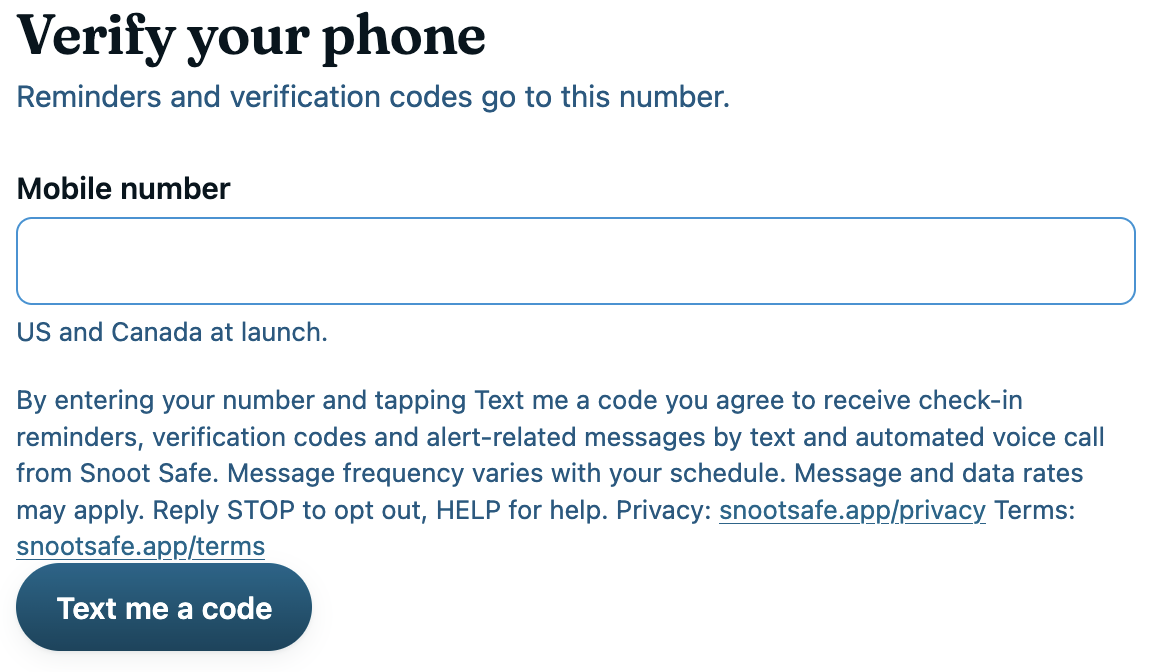
- Account holders enter their own mobile number on the phone step of setup, under a disclosure that says what they will receive, how often, that message and data rates may apply, and how to opt out, with links to the privacy policy and the terms. They confirm it with the code we text them.
- Contacts open the invitation link the account holder sent them, read exactly what accepting means, enter their own mobile number under the same kind of disclosure, and confirm it with the code they asked for. Only then can Snoot Safe text them, and only about that account holder's alerts.
Both forms end with the same line, and it is the one the carriers require: "Message and data rates may apply. Reply STOP to opt out, HELP for help."
How often
Message frequency varies with your schedule and depends on your check-ins. On the default daily schedule a day you check in brings no reminder at all; a missed check-in brings a few over the reminder window you chose, and an alert reaches each contact once on each channel they have, with the all-clear after it.
Rates
Message and data rates may apply. Your plan includes 30 text and voice reminders a month; beyond that, extra reminders are billed through Stripe at the rates on the pricing section.
Opting out
Reply STOP to any message to opt out, and HELP for help. A contact who steps down, by the link or by STOP, gets no further messages. You can also step down or report a message from the support page.
See the privacy policy and the terms.